Brow
Brow : AI meeting recording
The meeting assistant that lives in your MacBook notch.
Brow reminds you of your next meeting, records it on your Mac, transcribes it on-device and hands you a clear summary — without sending your audio anywhere.
What Brow does
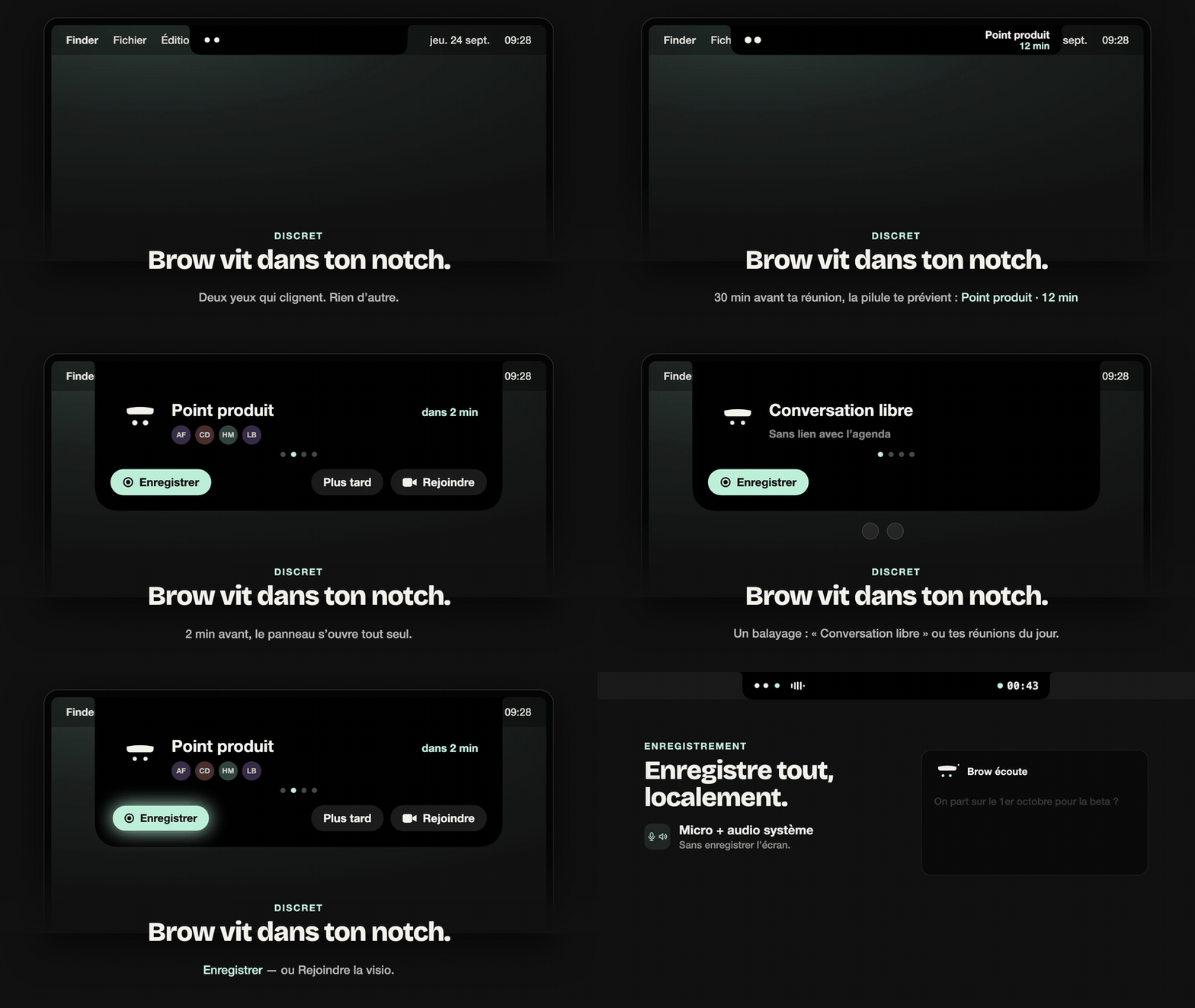
A small native macOS app that sits in the menu bar and the notch. Everything heavy — recording, transcription, speaker separation — happens on your Mac.
Reminders in the notch
Shortly before a meeting from your Google Calendar, the notch shows its title, attendees and time, with one-click “Record” and “Join” (the video link).
Local recording
Records your microphone and your Mac’s system audio (the other participants) to files on your Mac.
On-device transcription
Speech-to-text and speaker separation run locally on Apple Silicon. Your audio is never uploaded by Brow.
Summaries by your Claude Code
If Claude Code is installed on your Mac, Brow asks it for a summary: decisions, action items and topics. It runs under your own Claude account.
Notes window & groups
Every meeting becomes a Markdown note in a folder you choose, searchable and organised into groups.
Optional Notion sync
Connect your Notion workspace to receive each meeting’s summary, decisions and action items. The transcript stays on your Mac.
MCP access for Claude
A local, read-only MCP server lets your own Claude client search and read your meeting notes.
Why Brow asks for access to your Google account
Signing in with Google is optional. It lets Brow know when your meetings are and who is in them. All access is read-only: Brow never creates, changes or deletes your events or contacts. The data goes straight from Google to your Mac — the developer runs no server and never receives it.
| Permission | What Brow reads | Why |
|---|---|---|
See events on your calendarscalendar.events.readonly |
Today’s events on your primary calendar: title, start and end time, description, attendees and video-meeting link. | To show upcoming meetings in the notch, offer to record them, and put the title and attendees on the meeting note. |
See your contactscontacts.readonly |
For a meeting’s attendees only, looked up by their email address: name, organisation, job title and photo, if they are in your contacts. | To show who is in the meeting and write correct names on the note and its summary. |
See your “Other contacts”contacts.other.readonly |
The name of an attendee who is not in your contacts but appears in Google’s “Other contacts” (people you have exchanged with). | To show a real name instead of a bare email address when the invite has none. |
Your email addressopenid, email |
The email address of the Google account you signed in with. | To show which account is connected in Brow’s Settings. |
Brow’s use and transfer of information received from Google APIs to any other app will adhere to the Google API Services User Data Policy, including the Limited Use requirements. Details are in the privacy policy.
Requirements
- macOS 14.4 or later on a Mac with Apple Silicon (M1 or later). Works best on a MacBook with a notch; other Macs get a menu bar panel.
- Microphone and screen & system audio recording permissions (asked on first use).
- Optional: a Google account (calendar), Claude Code signed in to your Claude account (summaries), a Notion workspace (sync).
Download
Brow is not publicly available yet. It is coming soon as a signed and notarised app for macOS; it is available on request in the meantime — write to dev.genyus@gmail.com.
Contact
Brow is developed by Anthony Fernandez, an independent developer based in France. Questions, feedback or data requests: dev.genyus@gmail.com.